Signup and Onboarding Test Cases for SaaS Apps
Signup test cases should follow a new customer beyond the registration form. An account can be created successfully while the user remains stuck in email verification, lands in the wrong workspace, or loses their first record after finishing onboarding.
For a SaaS application, define the end of the journey as a useful action: a project saved, a teammate invited, a report opened, or another outcome that shows the account is ready to use. Then test the transitions that lead there.
Define the account states you support
List the supported entry paths before preparing test data. Email-and-password signup, social signup, invitation acceptance, and enterprise SSO can have different requirements. Test only the methods your application actually offers, but do not assume that a successful password signup covers the others.
Prepare a fresh identity, an existing identity, a partially onboarded user, and an invited user. Use an approved test inbox or an authentication-provider test facility. If automated execution cannot access verification email, make that step a separate manual check or provide a supported test setup; do not silently mark verification as covered.
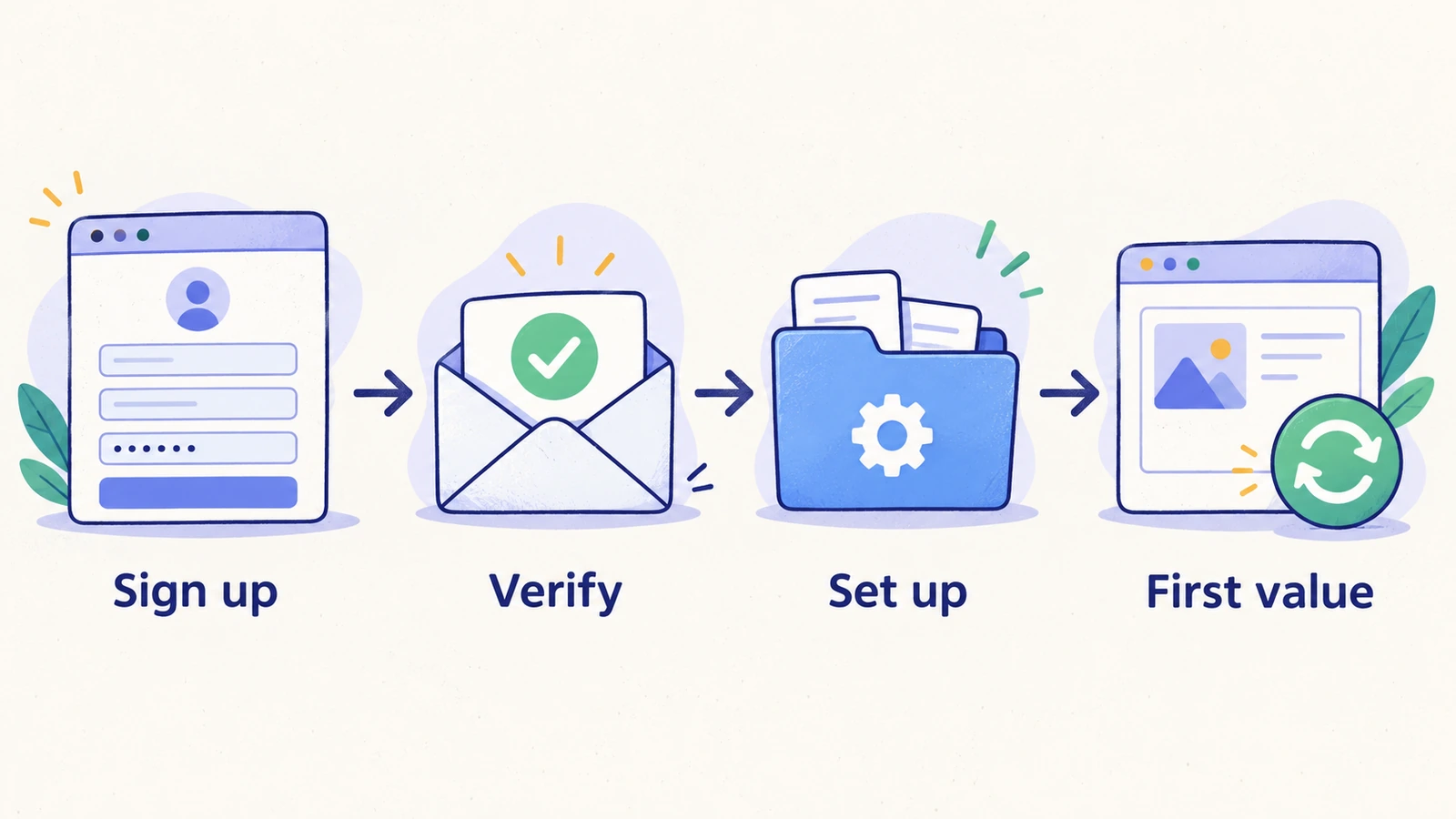
Write down which onboarding fields are required, whether the user must verify email before access, and what happens when an existing customer follows a signup link. These are product decisions; the test suite should make them explicit.
Registration form test cases
| Case | Starting condition and action | Expected result |
|---|---|---|
| Valid registration | Submit valid values for all required fields using a fresh identity | One account is created and the next required stage is shown |
| Missing required value | Leave each required field empty in turn | Submission is blocked with a useful message associated with that field |
| Invalid email | Submit a clearly malformed email address | The form rejects the value and preserves unrelated input |
| Existing identity | Submit an address already registered | The application follows its documented account-recovery or sign-in behavior without creating a duplicate |
| Password correction | Submit a password that fails the displayed policy, then correct it | The policy is explained and corrected input can proceed |
| Repeated submission | Submit twice while the first request is pending | The user ends with one account and a coherent next step |
| Keyboard operation | Complete the form using the keyboard | Fields, errors, and the submit control can be reached and used |
| Optional fields | Leave optional fields empty | Registration succeeds without inventing required values |
Use the authentication provider's configured normalization rules for email variations. Case handling, aliases, and social identity linking should match the real account model rather than assumptions built into a generic checklist.
Verification and onboarding test cases
| Case | Action | Expected result |
|---|---|---|
| Required verification | Try opening the app before verifying the fresh account | Access follows the product's verification requirement |
| Valid verification | Open the current verification link through the approved test inbox | The account advances to the intended next step |
| Expired verification | Open an expired test link | The user sees a recovery path and can request a new link |
| Verification return path | Complete verification in another tab or browser | The user can continue without creating a second account |
| Workspace creation | Submit required workspace details | One workspace is created with the new user in the intended role |
| Interrupted setup | Leave midway through onboarding, then sign in again | Completed data is retained and the correct unfinished step is shown |
| Back navigation | Move back from a later onboarding step | Previously saved input stays consistent and no duplicate workspace appears |
| First meaningful action | Complete the product's first core task | The result is saved and can be reopened after a reload |
| Returning user | Revisit onboarding after it is complete | The app follows its return-user policy instead of forcing accidental setup repetition |
| Invited user | Accept an invitation as a new identity | The user joins the invited workspace rather than an unrelated personal workspace |
Verification delivery, link handling, and mailbox access are separate observations. A message saying that email was sent does not prove receipt. A delivered email does not prove that the callback returns to the correct environment.
For more detail on invitation-specific behavior, use the user invitation test cases.
A worked onboarding test specification
Imagine a planning app whose activation event is creating the first project. Its onboarding test could use the following specification.
Preconditions: a fresh test identity, access to its approved verification inbox, an unused workspace name, and permission to create disposable staging data.
- Register with the fresh identity. Expect the app to show the verification stage and the submitted address.
- Open the current verification message. Expect the verification flow to finish on the intended staging origin.
- Create the reserved workspace. Expect the workspace name and the new user's role to appear correctly.
- Begin project creation, enter a name, and save. Expect the project detail page to show the saved name.
- Reload, sign out, and sign in again. Expect the same workspace and project to remain accessible without restarting onboarding.
The last step connects acquisition to persistence. Without it, the test could pass even though every new user loses their work when returning.
Keep automation repeatable
Signup creates state. A case that reuses the same address indefinitely may pass once and then fail for the wrong reason. Decide how fresh identities are provisioned, when they are retired, and who removes disposable workspaces. Avoid deleting a shared account that another test is using.
Separate registration from ordinary logged-in regression checks. Most daily product checks can start with an existing account; the registration suite should exercise account creation deliberately. This keeps unrelated failures from depending on email delivery or a third-party signup challenge.
If CAPTCHA, SSO approval, or email access prevents unattended execution, report that boundary. Use supported test facilities or a manual step, and preserve a separate check of the real production configuration when appropriate.
Add reviewed cases to HiTest
Use manual test case creation when the registration requirements are already known. Write the expected result for each stage, including the final saved outcome. Use Explore for a bounded product area when you want draft coverage to review; account creation and outbound messages still need a prepared test environment.
Keep returning-user cases connected to reusable test accounts. Keep fresh-signup cases separate so that a fixed account is not mistaken for a new identity. The broader SaaS regression checklist helps place both groups in a release plan.
For the product workflow, see signup and onboarding testing with HiTest.
Frequently asked questions
What should signup testing include beyond field validation?
Include verification, workspace selection or creation, interrupted onboarding, the first meaningful saved action, and the return visit. These stages show whether registration produces a usable account.
Can signup and login share one test account?
A returning-login case can use a stable account. A fresh-signup case needs an identity that meets its new-user precondition. Treat those as different data requirements.
Should every signup method get the same onboarding checks?
Check the shared outcomes for every supported entry path, then add cases for differences such as provider callbacks, invitation routing, and required verification. Shared screens do not guarantee identical account state.