SaaS Regression Testing Checklist: Critical Flows to Cover
A SaaS regression testing checklist should answer a release question: can the customers who already use the product still complete their important work? That includes new users joining, existing users returning, admins managing access, and paying customers receiving the features their plan allows.
Start with the checklist below, then choose the checks that match your product. Each row needs a known account, prepared data, and a visible expected result. A dashboard that opens successfully is useful evidence, but it does not prove that a customer can save a record or access the correct workspace.
Prepare accounts and data before running the checklist
Use a dedicated environment and at least three account contexts: a workspace administrator, an ordinary member, and a restricted user. Prepare a second workspace with distinct records so that workspace switching has something meaningful to verify. Add subscription states only when those states change the behavior you need to test.
Write down the deployment being tested and the data that each case will use. For a record-creation case, reserve a unique name and a cleanup owner. For an export case, seed a small dataset with a known row count. Avoid letting one browser test silently prepare everything the next test needs; an early failure can otherwise make the rest of the checklist unreadable.
Before execution, confirm these starting conditions:
- The intended deployment is available and shows the expected version.
- Test accounts belong to the expected organizations and roles.
- Billing and outbound integrations use their test environments.
- Data changes are allowed, bounded, and reversible.
- Someone owns the release decision and failure review.
See test account setup for the account context HiTest can reuse across browser cases.
The SaaS regression testing checklist
The expected results below are examples. Replace plan names, permissions, and timing rules with your own product requirements before making them release gates.
| Area | Check | Evidence that supports a pass |
|---|---|---|
| Signup | Register a new user and complete required onboarding | One account reaches the correct workspace and can perform its first core action |
| Returning users | Sign out, sign in, and reopen a protected page | The intended account returns with the correct organization selected |
| Core workflow | Create, edit, and reopen the main business record | The changed values survive a reload and appear in the intended workspace |
| Validation | Submit a required form with invalid data, then correct it | No invalid record is created; valid input can still be submitted |
| Permissions | Repeat a restricted action as admin and member | The permitted role succeeds; the restricted role cannot complete the action |
| Workspace switching | Move between two organizations with different data | Lists, details, and settings show the selected organization's information |
| Invitations | Invite a fresh user and accept the invitation | The recipient joins the intended workspace with the intended role |
| Billing | Complete a sandbox plan change | The displayed plan, effective date, and feature access agree with the billing policy |
| Search and lists | Combine a query, filter, sort, and page change | The resulting rows remain consistent with all active controls |
| Reports and exports | Export a known filtered dataset | The file opens and contains the expected scope and values |
| Integrations | Complete a workflow that depends on one critical service | The product shows a confirmed outcome or an actionable failure state |
| Recovery | Interrupt a supported operation and retry it | Recovery follows the product's rule without creating duplicate records |
For each row, check the final state rather than stopping at a success message. After creating a project, reopen it. After changing a role, exercise an action affected by that role. After a plan change, visit a feature whose availability should change.
Split the checklist into three execution groups
Running every variation after every small change can make feedback slow and failures harder to review. Divide the suite by the decision each group supports.
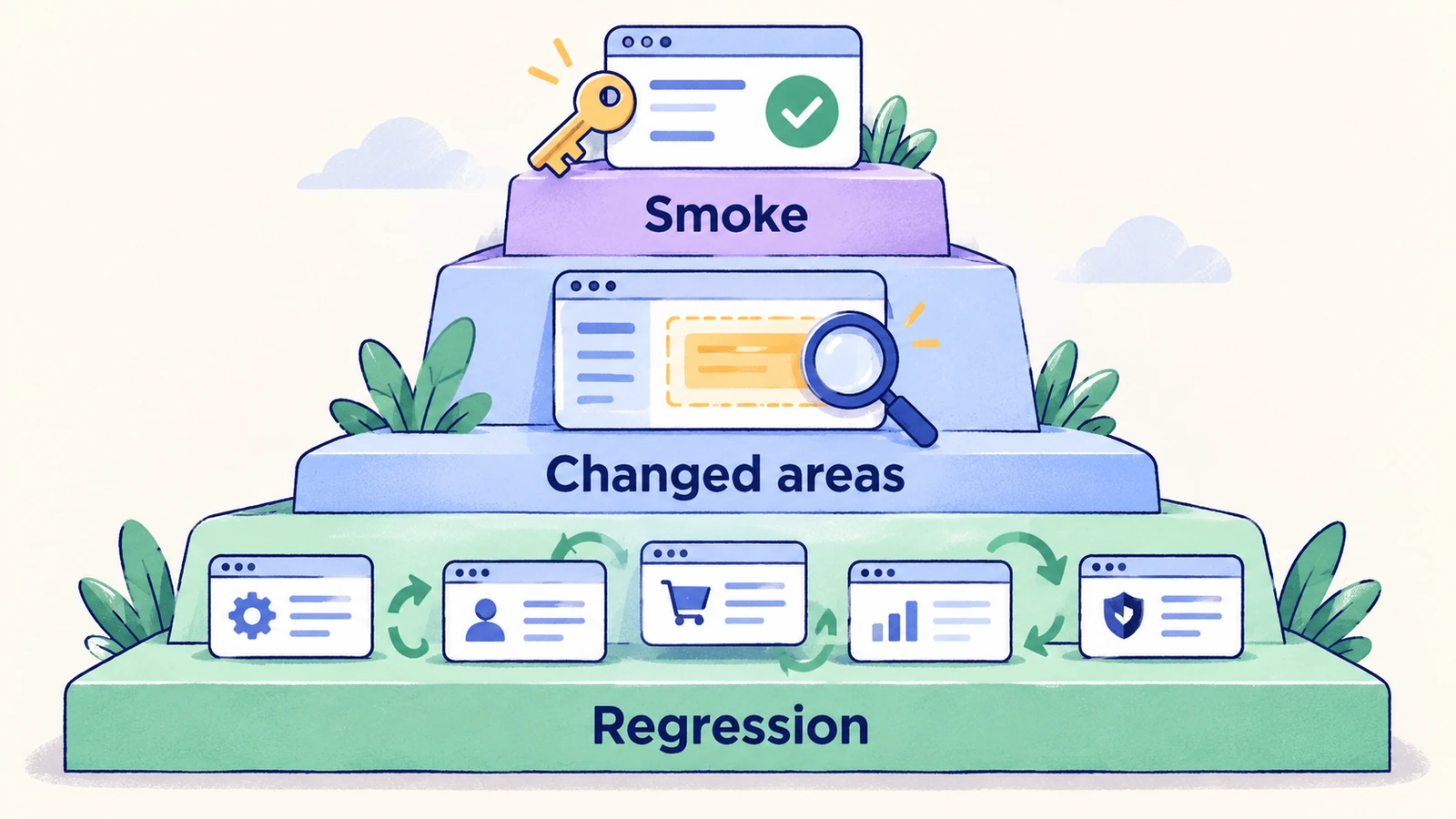
Release smoke: login, the main create-and-save journey, a critical restricted action, and the most important revenue path. These checks answer whether the deployment is ready for further review.
Changed areas: cases connected to the feature, integration, or shared component touched by the release. A navigation rewrite deserves more role and routing checks; a subscription change deserves more billing transitions.
Deeper regression: less frequent workflows, additional role combinations, recovery paths, and broader browser coverage. Give these checks an explicit cadence and an owner rather than assuming they will run eventually.
This checklist defines coverage. The existing release-ready test plan guide explains how to group that coverage and assign a cadence.
Example: turn one checklist row into a browser test
Consider a project-management SaaS with an ordinary member who is allowed to create projects. Use the following example specification to check that the saved project remains usable.
Preconditions: the member belongs to the staging workspace; project creation is allowed; the chosen project name is unused.
| Step | Action | Expected result |
|---|---|---|
| 1 | Sign in and select the staging workspace | The workspace name and member identity match the prepared account |
| 2 | Create a project using the reserved name | The project detail page shows that name in the current workspace |
| 3 | Reload the page | The project and saved fields remain available |
| 4 | Return to the project list and search for the name | Exactly the intended project is present |
| 5 | Open the project again | Its detail page contains the values entered during creation |
A toast alone cannot satisfy steps three through five. Those steps protect persistence and discoverability, which are the outcomes a customer depends on.
Decide what a failed check means
Record the account, deployment, starting data, failed step, expected result, and observed result. Then classify the failure: product behavior, unavailable environment, stale setup, or a test that no longer matches an approved requirement.
Do not turn an unexplained failure into a pass by repeatedly rerunning it. Preserve the first result, investigate the cause, and rerun when you have a reason. A skipped critical check also needs an explicit release decision; it provides no positive evidence about that flow.
Browser coverage should sit alongside service and integration checks. A workspace-switching browser test can catch visible data mix-ups, but it cannot establish that every backend endpoint enforces tenant boundaries.
Use the checklist in HiTest
Create a small set of AI-run test cases with separate actions and expected results. Assign the appropriate test accounts, review the cases, and group the release subset in a test plan. Add schedules or deployment triggers when the environment and test data are ready for repeatable execution.
Review run evidence before accepting a result. Keep the checklist focused on the workflows your team would investigate if they failed today, and add a case when an escaped regression reveals a specific missing expectation.
Frequently asked questions
What is the difference between SaaS regression testing and smoke testing?
Smoke testing checks a small set of essential journeys to judge basic deployment readiness. Regression testing covers a wider set of existing behaviors, including changes in roles, subscription states, validation, and integrations.
Should every checklist item run in a browser?
No. Use browser tests for connected user journeys and visible outcomes. Detailed calculation rules, authorization enforcement, and event processing also need checks at the layers that implement them.
How often should the checklist change?
Review the affected cases when product behavior changes, and review coverage after a customer-facing regression. Retire obsolete expectations and add specific missing cases instead of expanding the checklist with near-duplicates.