API and UI Consistency Testing: Follow One Record Across Layers
 By Xusheng Yang
The browser says a project's display name changed. The API still returns the old name, and another user's session sees something different again. Which observation should decide whether the test passed?
API and UI consistency testing follows one identified object through a write and independent reads. It checks that the interfaces agree with the same business contract while respecting authorization, caching, and documented propagation delays.
This is part 15 of Testing Methods in Practice. The project-edit workflow and API paths are illustrative; they are not HiTest API endpoints.
Name the object and the expected consistency rule
Prepare a dedicated workspace containing a project with a recorded identifier. Give it a unique original name and a distinct replacement name. Use an editor account for the write and another authorized session for a fresh browser read.
Assume this example promises that a successful save response means the durable project name has committed. The project detail API should immediately return the new name; a search index may have a separately documented delay.
Without that distinction, a test can incorrectly demand immediate search indexing or accept a stale canonical record indefinitely. Define the claim for each read path.
Follow a write through independent observations
| Step | Observation | Purpose |
|---|---|---|
| Prepare fixture | Record workspace and project identifiers | Avoid comparing different objects with similar names |
| Edit in browser | Submit the replacement name | Exercise the user-facing write path |
| Inspect save outcome | Confirm success and returned identity if exposed | Connect the response to the intended operation |
| Fresh API read | Fetch the same project with authorized credentials | Check committed canonical state |
| Fresh browser session | Open the same project without old local form state | Check user-visible persistence |
| Restricted-account read | Attempt access under the documented denial policy | Confirm consistency did not bypass authorization |
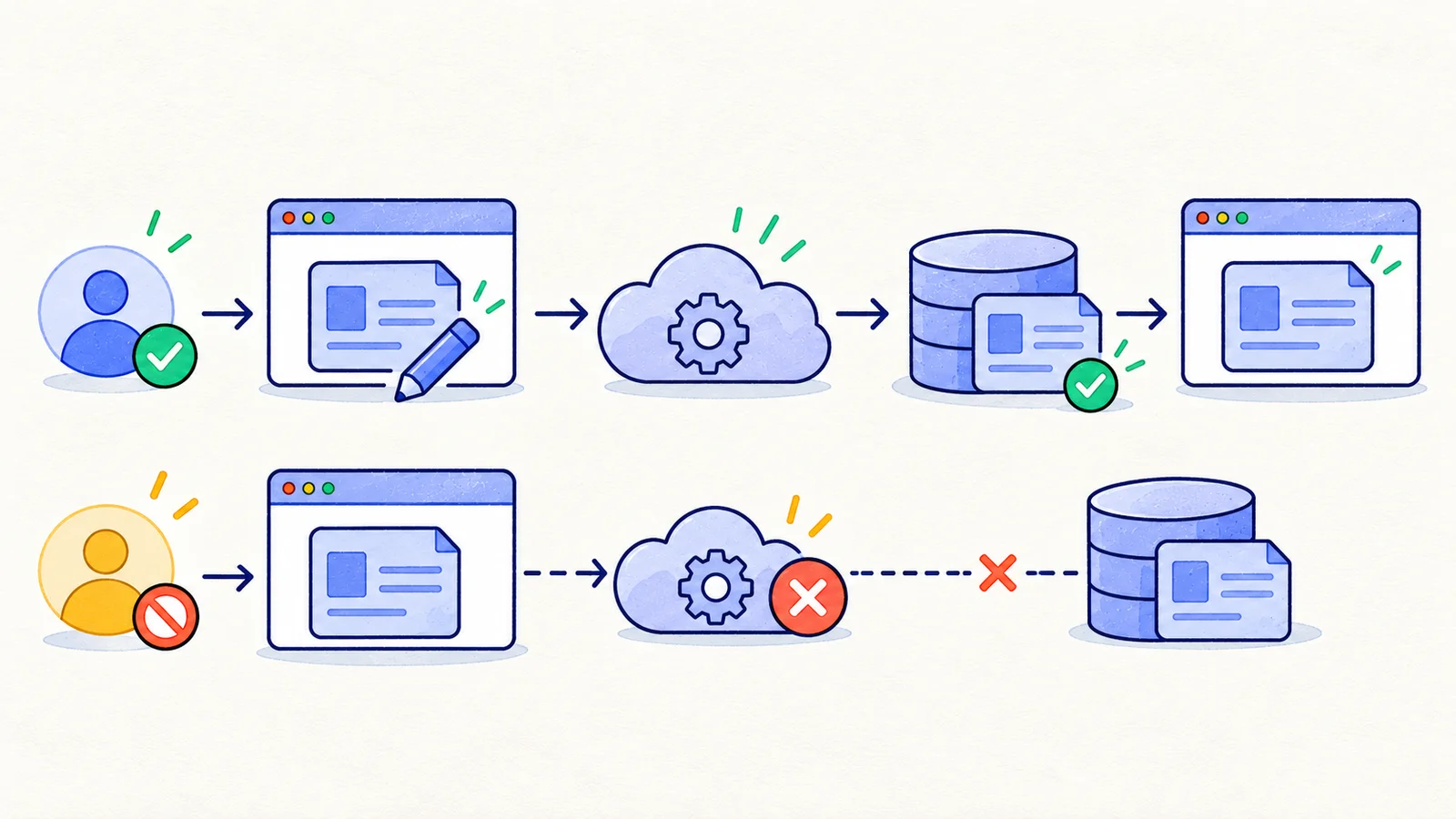
Playwright supports API testing alongside browser workflows. Use a supported application API with appropriately scoped test credentials; do not assume a browser session and an independently created API context share authentication automatically.
Keep the expected value independent
Use the fixture's replacement name as the expected value. Do not read the browser's optimistic field and treat that as proof of the write. Do not locate the object by “latest project,” which can change when another test runs.
For a numeric field, define units and normalization. An API may return an integer number of cents while the UI displays formatted currency. Compare the shared semantic value rather than raw strings that intentionally differ.
For dates, record whether the API returns an instant or a local calendar date. A timezone conversion can legitimately change the displayed date while still representing the intended instant. The time-testing guide covers these cases.
Treat eventual consistency as a bounded contract
If the search index is allowed a propagation window, poll for the expected record and value within that window. Save the observed delay and fail when the agreed budget is exceeded.
Do not respond to a failure by extending the timeout until the suite passes. An undocumented delay is a requirement or performance question. If no guarantee exists, report the observation and resolve the expected behavior with the owner.
Cache invalidation deserves its own case: edit a project while another session has the old detail view open, then perform the documented refresh action. The fresh view should converge according to the product's rule without displaying a foreign workspace's cached data.
Use direct data access only for the claim it supports
A database read can help diagnose whether a write committed. It does not prove the application API scopes the object correctly or the browser renders it correctly. Conversely, a correct browser label cannot prove that every stored field is valid.
Keep database checks in controlled internal tests and avoid exposing privileged credentials to browser code. Use application-level authorization when testing API access. If an admin-only diagnostic read is used, label it as such in the evidence.
For HiTest browser cases, document visible actions and results with manual test cases; retain API, database, and cache checks in the tools that can execute them. Do not imply a browser recording contains those hidden observations.
A practical consistency exercise
Choose one editable field and one object. Write its identifier, input normalization, commit guarantee, read paths, authorization rule, and any propagation window. Execute a browser write, a fresh authorized read, and a fresh-session reopen.
When observations disagree, preserve all three with timestamps before retrying. That record helps distinguish a failed write, stale read, incorrect identity, and rendering error. Use test assertion design to keep each conclusion proportional to its evidence.
Next in the series: Metamorphic testing for AI applications.