Web Application Smoke Testing Checklist Before Deployment
A web application smoke testing checklist is a short set of checks that answers whether a release candidate is usable enough to proceed. Run it against the deployed preview or staging build before promoting that build to production. Use a separate, carefully scoped set of checks for post-deployment confirmation.
The checklist should cover the product's essential connected paths: the app loads, an intended user can sign in, the main task saves correctly, and an important access restriction still holds. A successful HTTP response or a green build does not establish those outcomes.
What belongs in a smoke test?
Choose cases with a high cost of failure and a clear pass condition. For a workspace app, that might be opening the app, signing in, creating a record, reopening it, and confirming that a restricted user cannot manage members. For a commerce app, the core journey may be a sandbox checkout instead of record creation.
Keep exhaustive field validation, every permission combination, and unusual recovery paths in deeper suites. Your smoke group should be small enough that someone will review every failure before making the release decision.
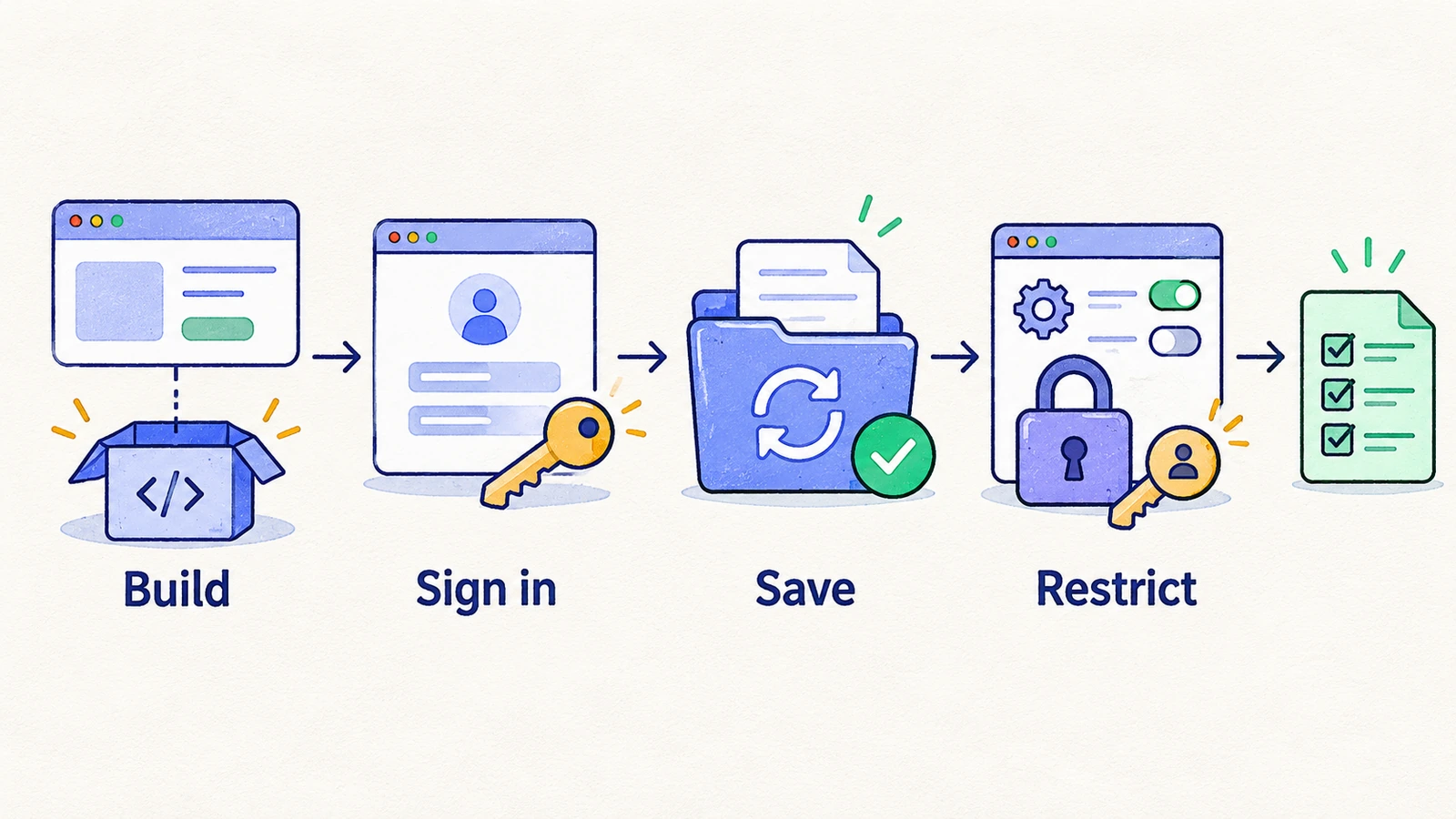
The web application smoke testing checklist
This example assumes a signed-in SaaS product. Replace the core action and revenue path with your own essential workflows.
| Check | Action | Pass condition |
|---|---|---|
| Deployment identity | Open the release candidate URL and inspect an available version marker | The tested URL and version match the intended release |
| Initial render | Open the main entry page in a fresh session | Essential content and controls render without a blocking error |
| Routing | Open one important nested route directly and reload it | The route resolves instead of producing a deployment-specific error |
| Authentication | Sign in using a prepared account | The account reaches the correct protected workspace |
| Core read | Open a known record | The expected data is readable in the selected workspace |
| Core write | Create or edit a disposable record | The saved values survive a reload and can be reopened |
| Critical restriction | Try one admin-only path as a restricted account | The restricted action cannot be completed |
| Critical dependency | Complete the most important connected workflow | The product shows the expected confirmed outcome |
| Session exit | Sign out and revisit a protected route | The app follows its signed-out access rule |
If paid conversion is essential to the release, add a sandbox purchase and the resulting entitlement check. If the release touches navigation, add a route for each materially different routing context. Select these additions for a reason rather than copying a growing universal list.
Separate environment failures from product failures
A protected preview, absent test account, missing environment variable, or unavailable sandbox dependency can block a smoke run. Report the condition accurately. A blocked login provides no evidence that the rest of the app works, but it also does not automatically mean the login implementation regressed.
Before execution, prepare the target URL, deployment identifier, account, workspace, and data. Confirm that preview protection and application authentication are both accessible through approved means. They are different gates.
If the environment is shared, reserve unique disposable records. Two concurrent runs editing the same record can produce failures that reflect test interference rather than the release.
A minimal core-write specification
The following example specification checks a project app's core saved outcome.
Preconditions: the release candidate is deployed; the test member can create projects; an unused project name is reserved.
- Sign in and confirm the active workspace.
- Create the reserved project. Expect its detail page to show the entered name.
- Reload the detail page. Expect the saved name and workspace to persist.
- Return to the list, find the project, and reopen it. Expect the same record.
- Remove the disposable record using the agreed cleanup process, or record it for cleanup if the case failed before completion.
This single journey crosses UI, authentication, backend behavior, and persistence. It does not replace detailed checks of validation, concurrency, or authorization enforcement.
Decide what happens when smoke testing fails
Agree on the decision before the run. For example: a failure in login or the core write blocks promotion until investigated; an unavailable environment blocks evaluation; an intentionally changed requirement requires a reviewed test update.
Retain the deployment, account context, failed action, expected result, observed result, and supporting screenshot or recording when available. A teammate should be able to understand why the build was stopped without rerunning the entire suite.
Avoid a “rerun until green” rule. If a second run succeeds, investigate why the first did not. The release record should preserve that uncertainty and the reason the team accepted or rejected the build.
Run the checklist after the candidate is ready
Triggering on source push can test an old deployment or a partially ready environment. Trigger after deployment readiness and pass the exact candidate URL to the test process. If two builds can overlap, tie the result to a specific deployment rather than a moving branch alias.
In HiTest, create the small case set and use an explicit test plan target. A deployment webhook can start the plan, with a Base URL override for the candidate. A successful webhook request means the trigger was accepted; inspect the completed run before deciding that smoke testing passed.
For branch-specific environment problems, see testing preview deployments. Use the broader SaaS regression checklist when the release needs more than basic readiness coverage.
See release testing with HiTest for the related product workflow.
Frequently asked questions
How many smoke tests should a web app have?
Use enough to check essential connected workflows and keep failure review practical. The number depends on your product's critical paths; a fixed test count is less useful than a clear purpose for each case.
Is smoke testing done before or after deployment?
Browser smoke testing needs a running application. Test a deployed release candidate before production promotion, then optionally run a safe production subset after rollout.
Does a passing smoke suite mean the release is ready?
It supports basic readiness. The release may still require checks for changed behavior, migrations, integrations, performance, or other risks outside the smoke suite.