How to Test Preview Deployments Before Merging
Testing preview deployments should establish that a particular proposed build works in a running environment before it is merged or promoted. The difficult part is often making sure the browser actually tests that build with the right accounts, callbacks, and data.
A test triggered on every push can still visit the previous deployment. A browser can also reach the correct preview page and then follow a sign-in callback into staging. Treat the deployment URL and environment boundaries as part of the test specification.
Bind the run to a specific deployment
Record the commit, deployment identifier, preview URL, environment, and case set. Prefer a URL that identifies the deployment being reviewed. A moving branch alias can point to a newer build before an earlier test finishes.
Wait for deployment readiness before starting browser checks. Host-reported deployment success is a useful trigger, but still verify that the intended app can load. If your product exposes a safe version marker, include it in the first case.
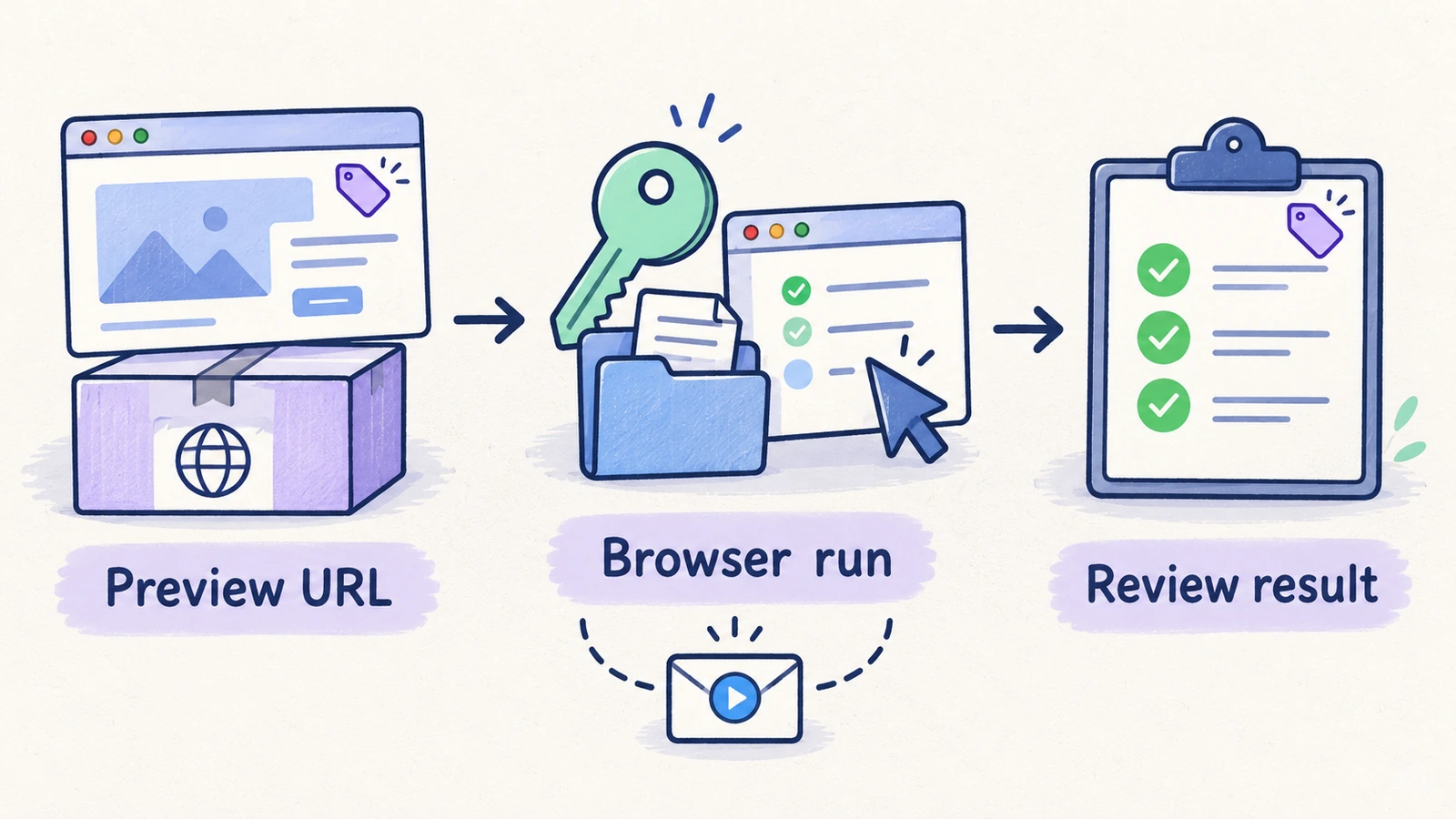
Check the environment before debugging the test
| Environment check | What to establish | Typical symptom when wrong |
|---|---|---|
| Deployment URL | The run targets the intended preview build | A passing result belongs to an older commit |
| Deployment protection | The runner can use an approved access method | The browser stops at the hosting platform's access page |
| Application authentication | Test users exist in the configured identity environment | Sign-in fails even though the preview loads |
| Callback origins | Supported sign-in and recovery flows return to the intended app | The session lands in staging or production |
| Backend environment | The preview points to an approved database and service configuration | Records appear missing or writes affect the wrong environment |
| Test data | The required workspaces, roles, and fixtures are present | Valid assertions fail against absent setup |
| Third-party services | Payments, mail, and integrations use suitable test facilities | The UI is reachable but connected workflows cannot complete |
| Concurrency | Parallel previews have isolated or reserved mutation data | Tests overwrite one another's records |
Vercel documents deployment protection separately from application login, including an automation access mechanism. Configure a supported method that your runner can actually use; a Base URL override alone does not provide a protection token or sign in to the app. Vercel Deployment Protection, Protection Bypass for Automation.
Keep protection credentials in the appropriate secret store. Do not place them in public URLs, article examples, or run messages.
Choose a small preview test plan
Start with a smoke testing checklist: initial render, one nested route, login, a known read, a core write, and a critical restriction. Add targeted checks for the changed area.
For example, if a pull request changes workspace navigation, test direct navigation to a project, switching workspaces, reloading the selected workspace, and visiting a restricted route as a member. A long billing suite adds little evidence about that specific change unless the navigation also affects billing access.
Document any missing production characteristics. A preview with sandbox billing and synthetic data can verify those configured flows, but it does not prove production credentials, customer data migration, or every external integration is ready.
Point a HiTest plan at the preview URL
HiTest's deployment webhook accepts an optional overrideBaseUrl. The following is an illustrative payload; replace the example origin with the deployment selected by your trusted pipeline:
{
  "message": "Preview review for commit 8f4a21d",
  "overrideBaseUrl": "https://preview.example.com"
}
Create the plan and Webhook trigger, store its generated URL as a CI secret, and send the payload after the deployment is ready. The GitHub Actions integration shows the supported request format and deployment-event example. Adapt its environment condition deliberately: the documented production filter should not be copied unchanged for a preview-only workflow.
An override changes the run's Base URL. It does not rewrite hardcoded origins in test instructions, change the identity provider, seed a database, or guarantee that a callback stays in the preview. Review those dependencies before calling the plan reusable across environments.
For privileged CI steps, accept deployment URLs only from trusted deployment metadata and an approved set of hosts. A pull request's arbitrary input should not be able to redirect a privileged browser or cause secrets to be sent to an unrelated destination.
Distinguish triggering from a passing result
A successful webhook response means the trigger request was accepted. It does not mean the browser cases completed or passed. Review the run status and its case outcomes before using the result in a merge decision.
If your pipeline requires an automatic merge gate, it needs a supported way to obtain the completed result and associate that result with the correct commit. Starting an asynchronous run alone does not implement that gate. Confirm your integration's result-handling capability instead of interpreting request success as test success.
When a new commit supersedes the preview, clearly identify whether a result still applies. A green run for commit A provides no browser evidence for a later commit B.
Example: a preview navigation check
This illustrative case assumes prepared data and a test member who belongs to two staging workspaces.
- Open the exact preview URL. Expect the intended deployment identity.
- Sign in through the approved test flow. Expect to remain in the selected preview environment.
- Select workspace A and open a known project through a direct route. Expect workspace A's record.
- Switch to workspace B. Expect its distinct project list and current role.
- Reload the current route. Expect coherent workspace and navigation state.
- Open one member-restricted route. Expect the documented denied-access behavior.
Preserve the deployment URL, commit, account context, and failed step when reporting a problem. Use run evidence to separate a product regression from unavailable setup.
See testing after every deploy with HiTest for the related deployment-testing workflow.
Frequently asked questions
Can the same test plan run against staging and previews?
Yes, when its accounts, data, permissions, and instructions are valid in both environments. The Base URL override handles the origin choice; the rest of the environment still needs preparation.
Should preview checks run on push or deployment completion?
Run browser checks after the selected deployment is ready. A push event alone does not establish which version is currently available at the URL.
Does triggering HiTest automatically block a merge?
Triggering starts a run. A merge gate also needs the completed result, correct commit association, and the repository's gating configuration. Verify those pieces separately.