7 Best AI Testing Tools for SaaS Teams in 2026
Your next release changes a signup form, moves a settings menu, and adds a new permission. Someone still has to check that a customer can sign up, find their workspace, and use the features their role allows.
AI testing tools can reduce some of that work. But they approach it differently: some write test code, some execute browser instructions, some maintain recorded flows, and some compare screenshots. Choosing the wrong category can leave you with faster test creation and the same release bottleneck.
This guide compares seven tools for SaaS teams, with a clear use case and trade-off for each. The most useful starting question is who will own the tests after the first run.
Written by the team building HiTest. Product details and public screenshots were reviewed on October 15, 2026. This is a workflow comparison, not a benchmark ranking.Quick comparison
Compare workflow fit and monthly pricing before choosing two tools to try on the same user journey.
| Tool | Best suited to | Monthly pricing |
|---|---|---|
| Playwright + AI | Engineers maintaining tests in their repository | Free framework; AI agents and CI hosting cost extra |
| HiTest | Product teams turning user journeys into browser checks | Free plan with one-time credits; Starter $39/month. Plans |
| BugBug | Testers recording and editing web workflows | Free local plan; Core $119/month, Pro $219/month. MCP requires Pro |
| mabl | QA teams collaborating in a low-code platform | Custom quote; 14-day trial |
| testRigor | Manual testers authoring automated steps in English | Free public plan; contact sales for private pricing. Free tests and results are public |
| Momentic | Teams building AI-assisted browser regression tests in YAML | Free: 2,000 credits/month; paid: $125/month with 10,000 credits, plus additional usage |
| QA Wolf | Teams buying help with E2E test delivery and upkeep | Platform: $0.01/AI credit + $0.15/runner minute; managed service: custom quote |
Prices are in USD, checked on October 15, 2026, and use monthly billing where a subscription price is shown. Credits differ between vendors; compare the cost of your expected runs, AI usage, and maintenance. Check the linked official pages for current limits and quotes.
For a small SaaS team, start with HiTest if product workflows drive your coverage, Playwright if engineering wants to maintain the code, or BugBug if recording the flow is the easiest way to define it. The other options address broader QA collaboration, English-language authoring, AI-driven execution, or service ownership.
1. Playwright: AI tests you own in code
Best for engineering teams that want test code, fixtures, and assertions reviewed alongside the application.
Playwright's Test Agents cover planning, generation, and repair. A planner explores the app and produces a test plan; a generator turns the plan into test files; a healer investigates failures and attempts repairs. Playwright supports Chromium, Firefox, and WebKit.
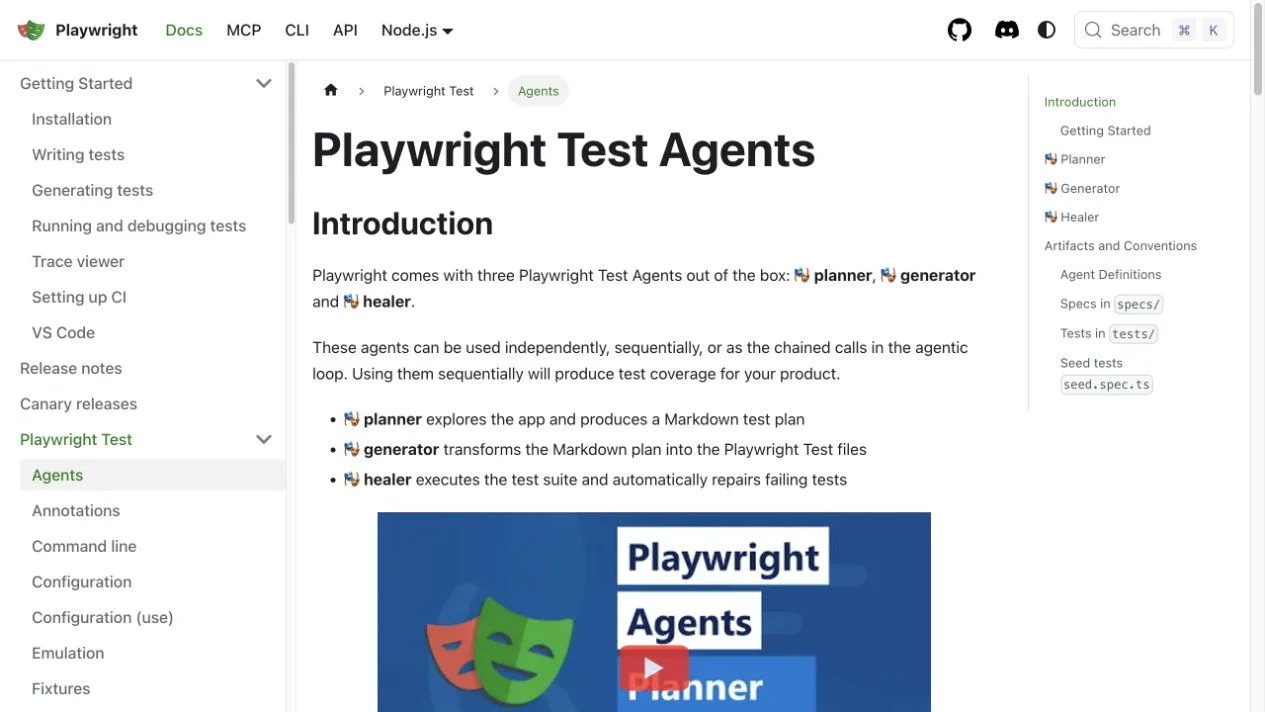
The advantage is control. Engineers can define fixtures, inspect network behavior, make exact assertions, and keep the suite in Git. If you already have a healthy Playwright setup, AI assistance can fit into the workflow you use today.
The cost is continued engineering ownership. Someone must review generated code, maintain test data, and investigate failures. Inspect repairs carefully: Playwright's documentation notes that healing can produce a skipped test when functionality appears broken. A green pipeline with a skipped critical journey still needs attention.
The framework is open source; AI usage and execution infrastructure may carry separate costs.
2. HiTest: product-led browser testing
Best for teams that know what users need to accomplish and want repeatable browser checks around those outcomes.
HiTest starts with a product goal. Describe an area of your application, let AI explore it in a real browser, then review and select the proposed test cases. You can also write a case directly with actions and expected results.
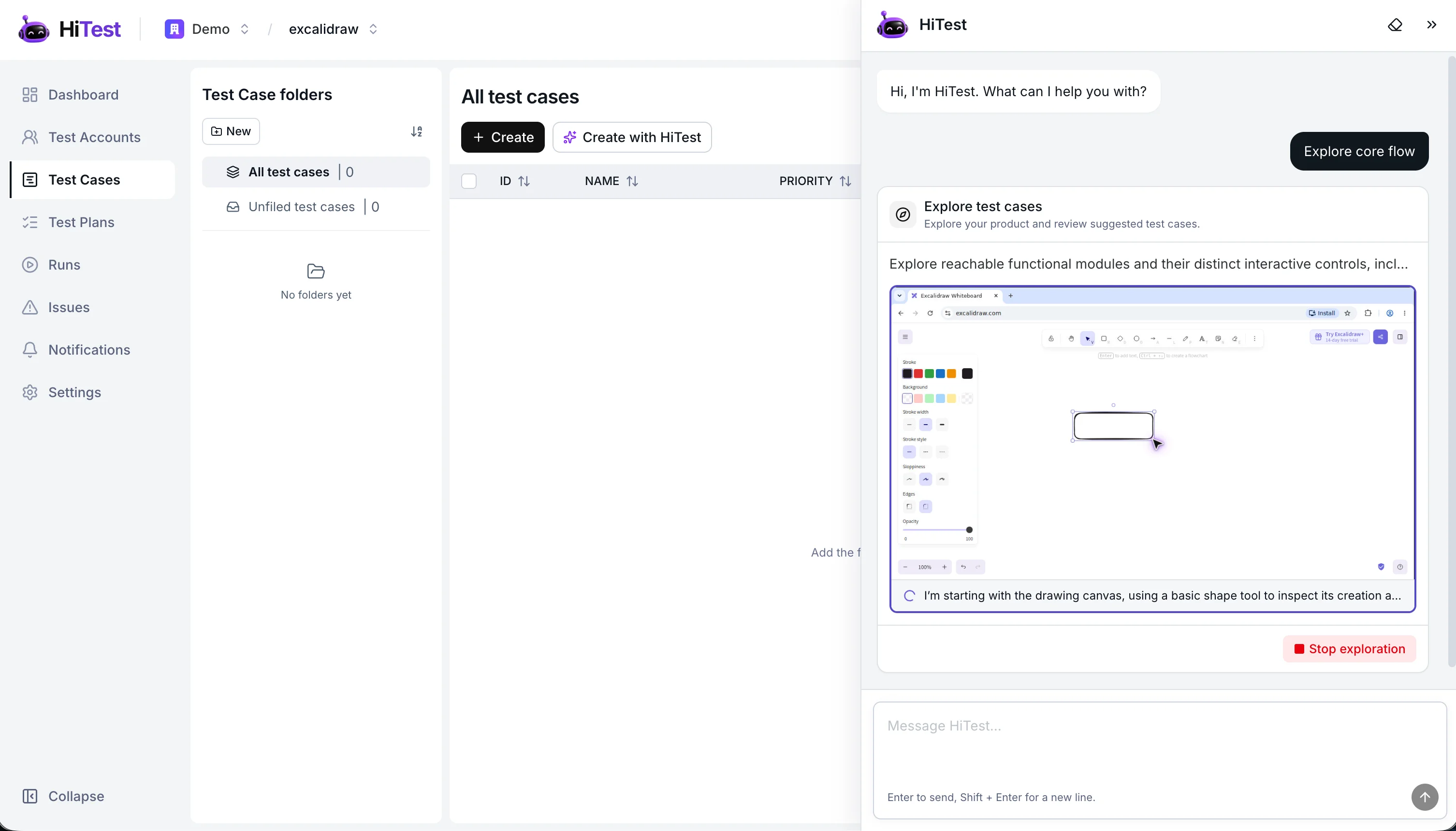
That workflow is useful when release checks live in someone's head: invite a teammate, submit a form, change a workspace setting, or verify a member's access. Project test accounts provide login context, and test plans group cases for manual, scheduled, or webhook-triggered runs. See the test case workflow and test plans.
The trade-off is that a browser agent still needs a precise definition of success. “Create a project” is weaker than “create a project and verify it remains in the correct workspace after reloading.” Your team owns that expectation and reviews the run evidence. Keep detailed business-rule tests in your unit and integration suite.
3. BugBug: recorded browser workflows
Best for testers who would rather demonstrate a journey than describe every interaction in code.
BugBug's recorder captures browser actions so a tester can build and edit a regression check visually. It also offers reusable components, assertions, cloud schedules, and an MCP connection for compatible AI agents. BugBug's product overview describes the current workflow.
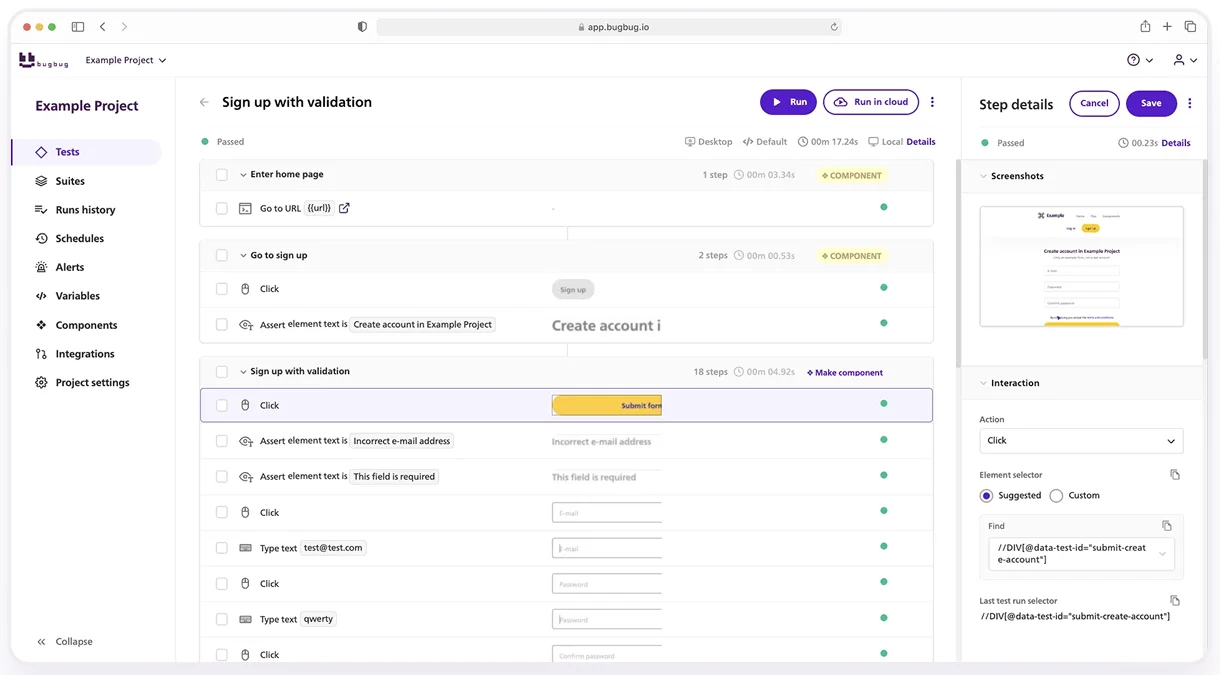
This is a practical path from “I check this manually every Friday” to a reusable test. Recording gives the team a concrete sequence to inspect, while assertions define what the sequence must prove.
Browser coverage is an early decision: BugBug supports Chromium-based browsers. If Firefox or WebKit is a release requirement, account for that before adopting it as your only browser testing tool. BugBug also supports YAML export; assess what an exported test would need to run outside the platform.
4. mabl: shared low-code automation
Best for QA organizations that need several contributors working in a common automation platform.
mabl combines point-and-click and natural-language authoring with code extensions and AI-assisted maintenance. Its low-code platform covers web and mobile testing, giving teams a broader environment for building and maintaining coverage.
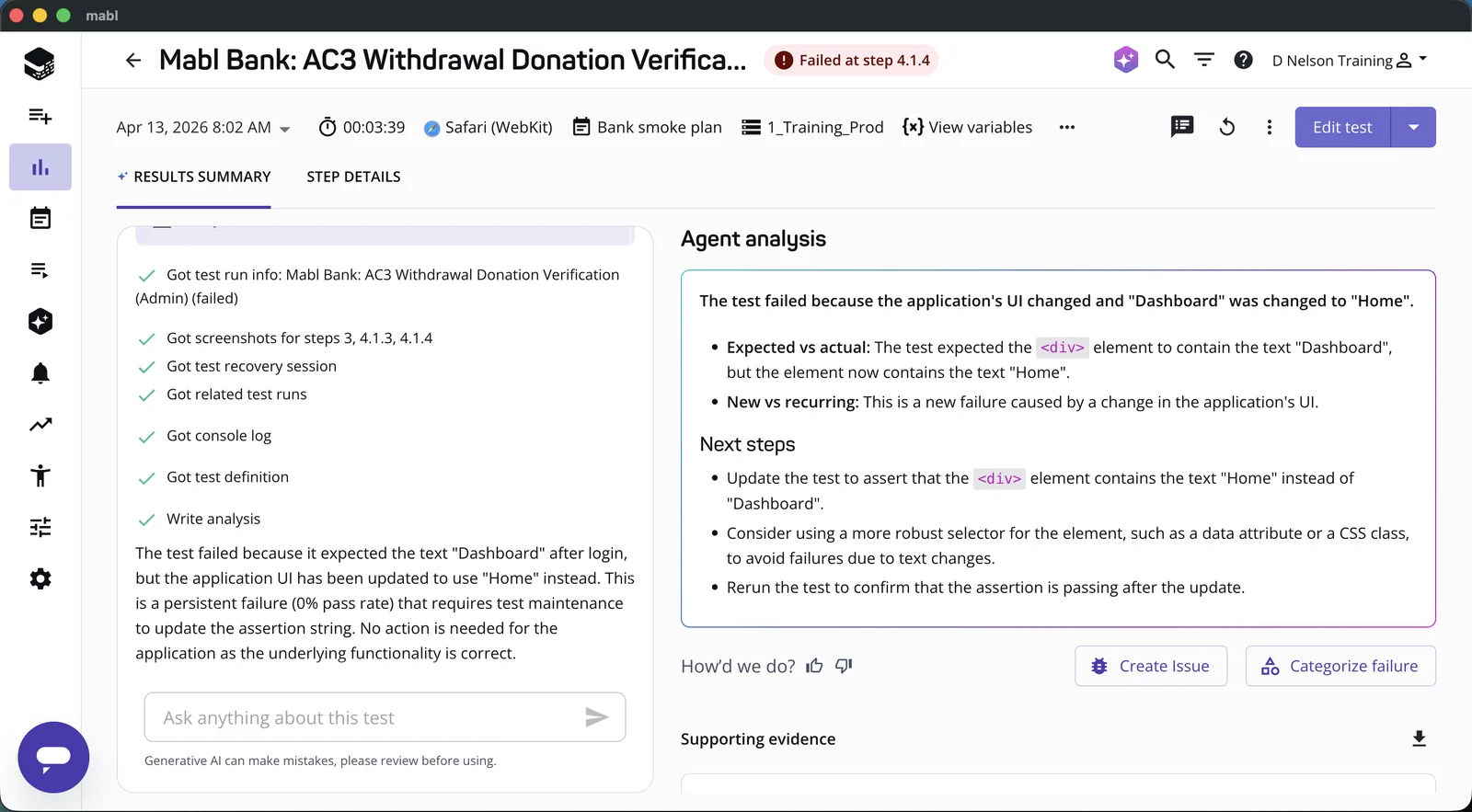
The reason to shortlist mabl is collaboration across skill levels. A manual tester can contribute without becoming a framework specialist, while a developer can extend cases that need custom behavior.
Evaluate the maintenance experience as closely as the authoring experience. Bring a conditional workflow or a test with dynamic data, then ask a second teammate to update it. Check which recoveries happen automatically, which need approval, and how the plan handles your expected execution volume.
5. testRigor: English-language test authoring
Best for manual QA teams converting written procedures into automated checks.
testRigor uses English-language instructions to express actions and checks from an end user's perspective. Its language reference describes supported commands, reusable instructions, and platform capabilities.
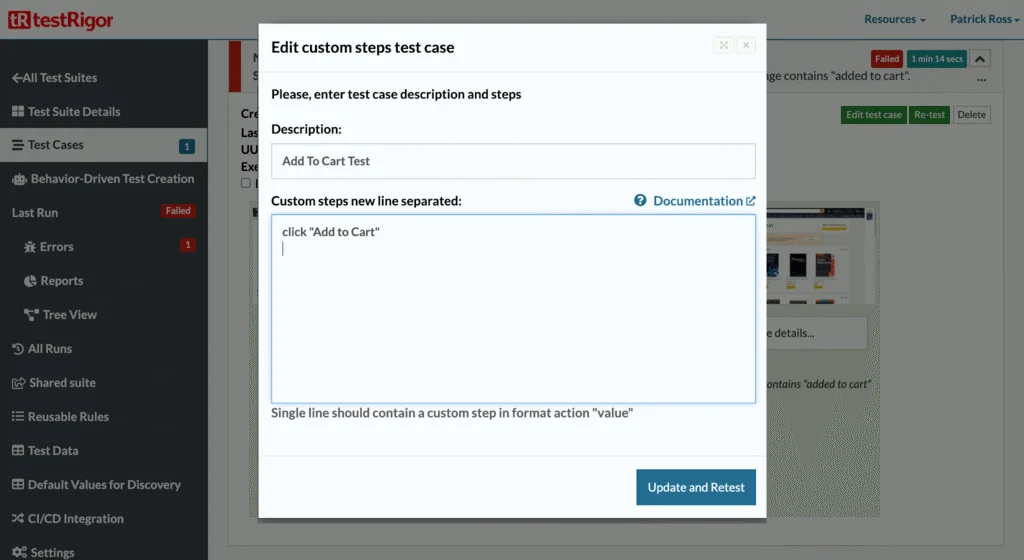
The appeal is a familiar starting point: a tester can express an interaction such as clicking “Add to Cart” without hand-writing a selector. This can lower the authoring barrier for a team with an established manual regression checklist.
English does not remove the need for precision. Repeated labels, variable data, and complex conditions still need unambiguous instructions. Test a realistic procedure from your own suite and see how much rewriting it takes. Also consider how those instructions would be maintained or migrated if you later changed platforms.
6. Momentic: AI-powered browser regression testing
Best for teams that want AI-assisted browser checks stored alongside their application code.
Momentic combines preset steps and natural-language AI actions in YAML test files. Its local visual editor lets you author and debug tests beside a live browser, while keeping the files in your repository. The CLI runs repeatable checks locally or in CI. Momentic documentation.
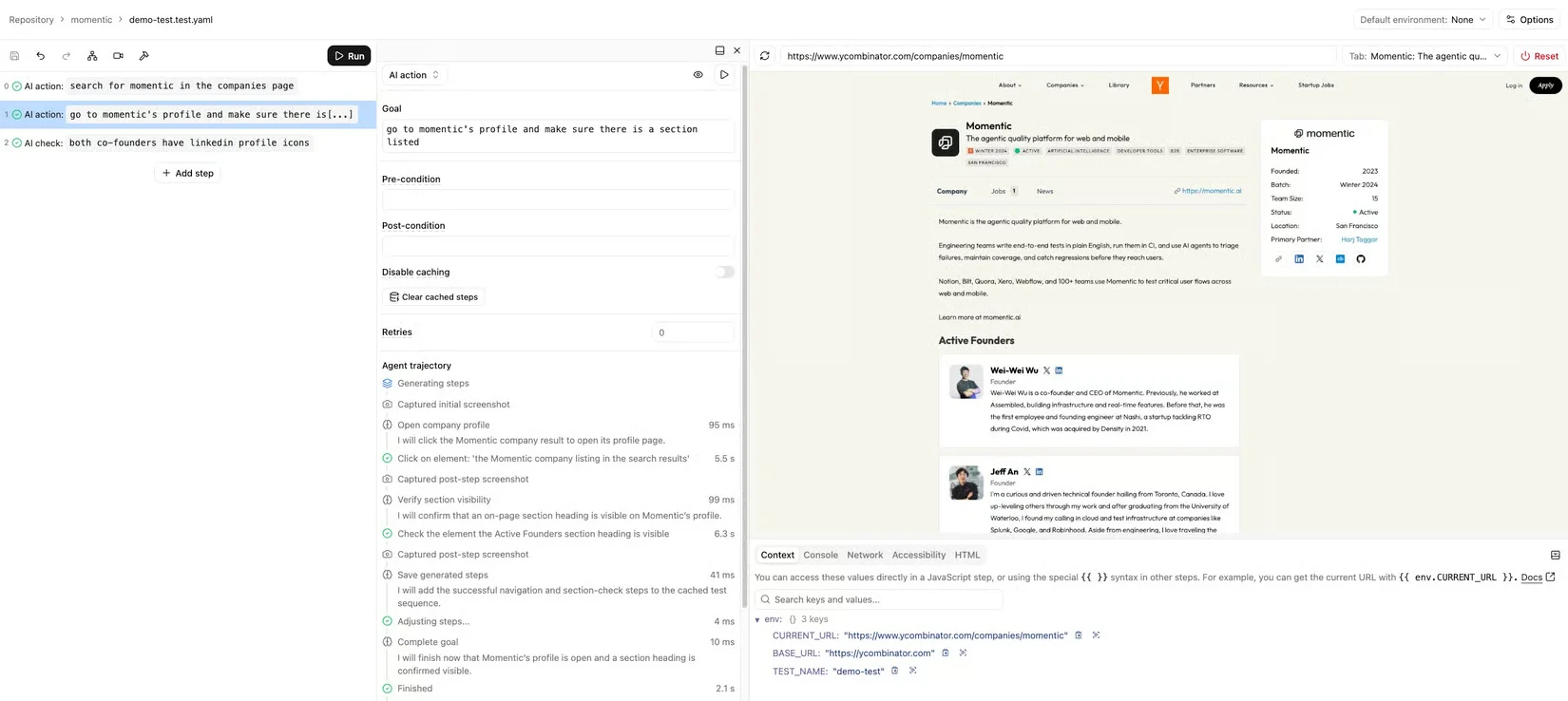
This offers a middle ground for teams that want a visual authoring workflow and tests they can review in Git. Its AI maintenance workflow distinguishes locator auto-healing during a run from permanent repairs to test files.
Check that its Chromium-based web coverage fits your release requirements. During a trial, introduce a real failed outcome and inspect both the verdict and any proposed test changes. A repaired test should still enforce the original requirement. Web testing setup.
7. QA Wolf: automation with service support
Best for teams that need help owning the testing work, beyond another authoring tool.
QA Wolf combines AI agents, execution infrastructure, and experts for creating, running, and maintaining E2E tests. Its offering includes service support, so assess the delivery arrangement as well as the platform.
This approach is worth considering when your team repeatedly postpones automation because nobody has capacity to create tests and investigate failures. The purchasing question becomes how much work the engagement takes off your team.
Agree on the journeys covered, how requirement changes are communicated, who investigates a red run, and what evidence accompanies a confirmed bug. Compare the proposal with the internal work it would replace, including coordination and review.
A practical way to choose
Pick two tools that fit your ownership model and give them the same small trial. You will learn more from one meaningful failure than from comparing dozens of feature checkboxes.
Use a workflow with an observable result
For a project-management app, try this: sign in as a workspace member, create a project, reload the page, and reopen the saved project from the list. Use a dedicated account and resettable data in a test environment.
This checks more than whether the create button works. It ties the journey to persistence and the correct account context.
Separate interface changes from broken behavior
Move the create button without changing what it does. Record the work needed to keep the test useful.
Then introduce a controlled defect in the test environment: show a success message without saving the project. The test should fail after the reload. Reject a “repair” that removes that check, changes the required role, or treats the toast as sufficient proof.
Measure the work your team will keep doing
Compare setup time, maintenance after the UI change, and the time a teammate needs to understand the deliberate failure. Estimate cost using your real number of journeys, environments, runs, and retries; check current vendor pricing against that workload.
Use our tool comparison scorecard for a fuller evaluation, or the failure-report guide to judge the evidence.
If your immediate problem is repeating the same manual checks before each release, start with one of those journeys in HiTest. Create your first test, review the result, and expand coverage once the workflow is useful to your team.
Frequently asked questions
What is the best AI testing tool for a small SaaS team?
HiTest is worth evaluating for product-led browser checks, Playwright + AI for tests owned in code, and BugBug for recorded workflows. Choose based on who will maintain the suite and the evidence you need from a failure.
Are there free AI testing tools?
Playwright is open source. Pairing it with AI may introduce separate agent or model costs, and running the suite still uses infrastructure. For hosted tools, check current free-plan or trial limits against your intended workload.
Do self-healing tests eliminate maintenance?
No. They may help recover from interface changes, but requirements, accounts, and data still need attention. A repair is useful only if it preserves the behavior the test was meant to verify.
Should AI testing replace my existing test suite?
Start with a gap in coverage or an expensive manual check. Keep reliable unit, integration, and browser tests that already serve your team. Judge a new tool by the useful coverage it adds and the ongoing work it requires.